How to Reduce Bounce Rate with Faster Media Assets
Users decide within seconds whether to stay on a page. If your banners, galleries, screenshots, and product visuals load slowly, people leave before reading your value proposition. Media speed is often one of the biggest hidden drivers of bounce rate. The good news is that improving media performance can simultaneously improve engagement, SEO, and conversion outcomes when executed with a clear workflow.
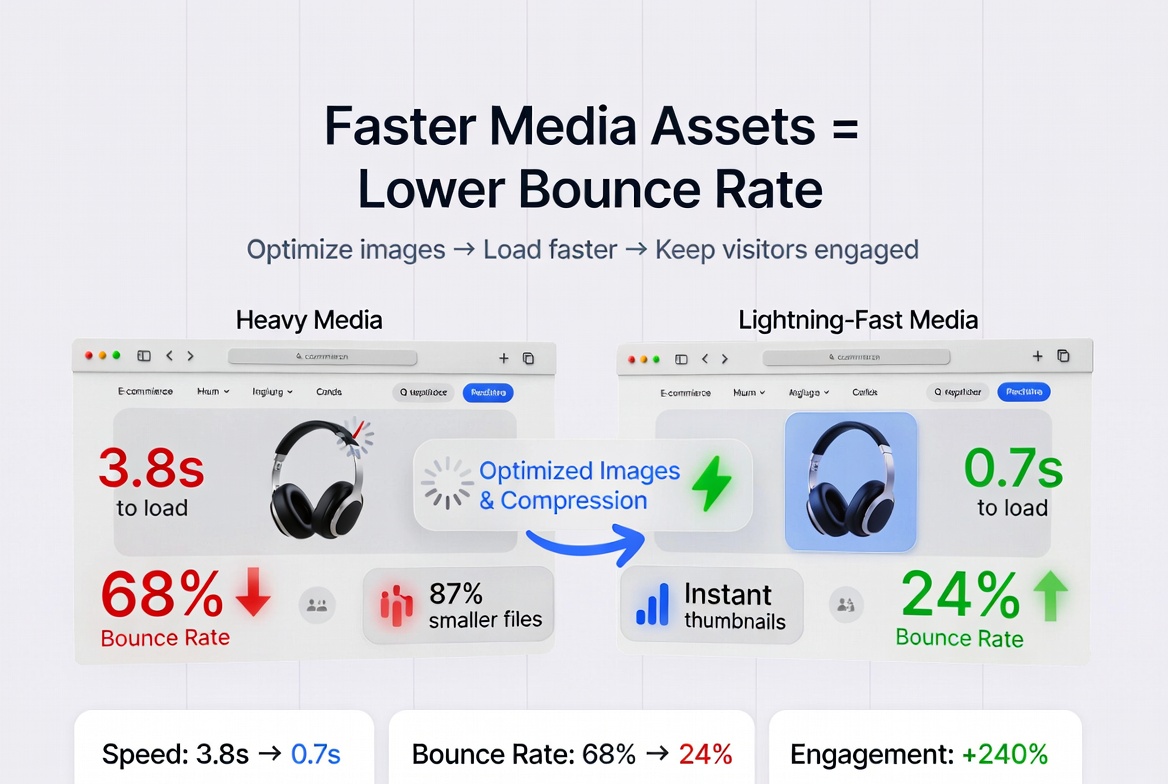
Faster media creates smoother first impressions and keeps visitors engaged longer.
Why media speed has a direct impact on bounce rate
Media is often the heaviest part of a page. When media loads late, users perceive the entire site as slow, even if text appears first. This hurts trust, interrupts scanning behavior, and reduces the chance of reaching key conversion sections.
- Perceived delay: large media creates visual lag and users exit early.
- Mobile penalty: slower connections magnify media inefficiency.
- Attention drop: users leave before CTA, pricing, or social proof appears.
- SEO side effect: weaker engagement signals can reduce search performance over time.
Media weight vs engagement: what happens in practice
As total media weight increases, interaction depth typically decreases. Visitors click less, scroll less, and abandon sooner. Lighter optimized media improves first-screen stability and keeps session momentum intact.
| Media Condition | User Experience Outcome | Likely Bounce Impact |
|---|---|---|
| Oversized hero + uncompressed gallery | Slow first interaction | High bounce risk |
| Resized media + moderate compression | Stable loading and faster scanning | Bounce decreases |
| Role-based media + lazy loading | Smooth experience and deeper scroll | Strong engagement lift |
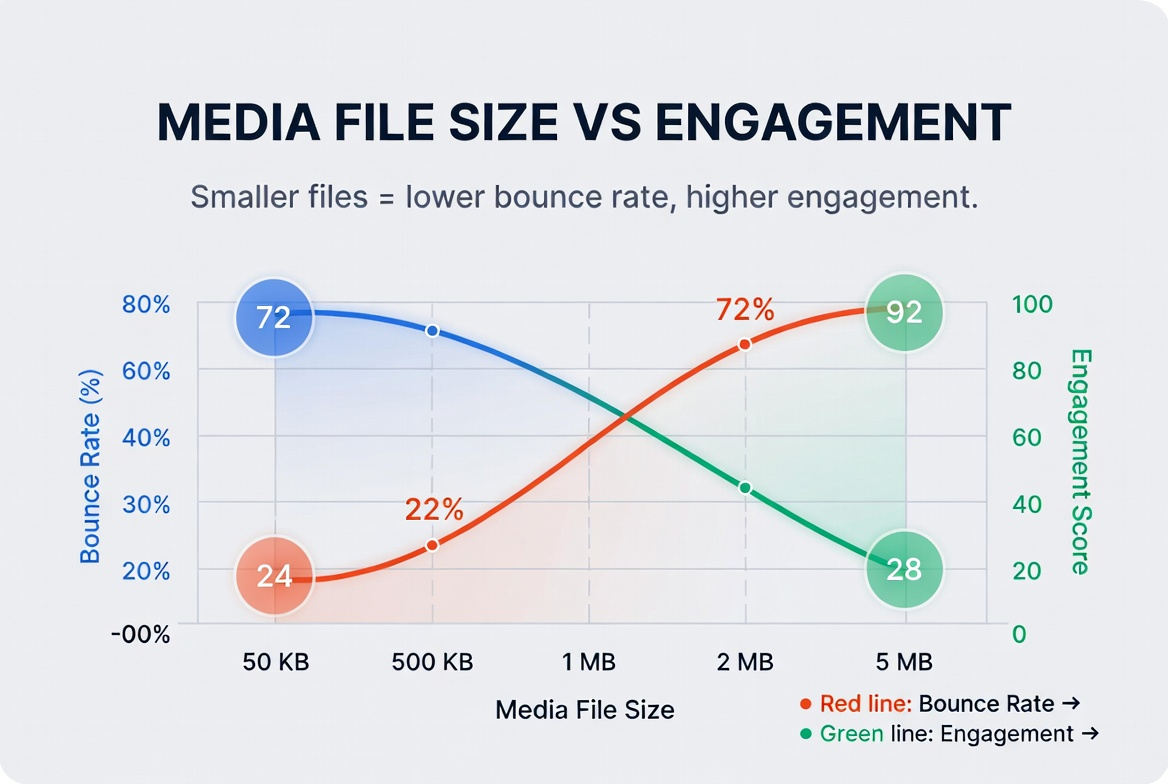
Lighter media improves usability before users evaluate your offer.
Top causes of bounce related to media performance
- Uploading design-source files directly to production pages.
- Using PNG for all photos even when transparency is unnecessary.
- Loading all carousel and gallery items at initial page render.
- Skipping compression after resizing.
- Ignoring mobile-first media constraints.
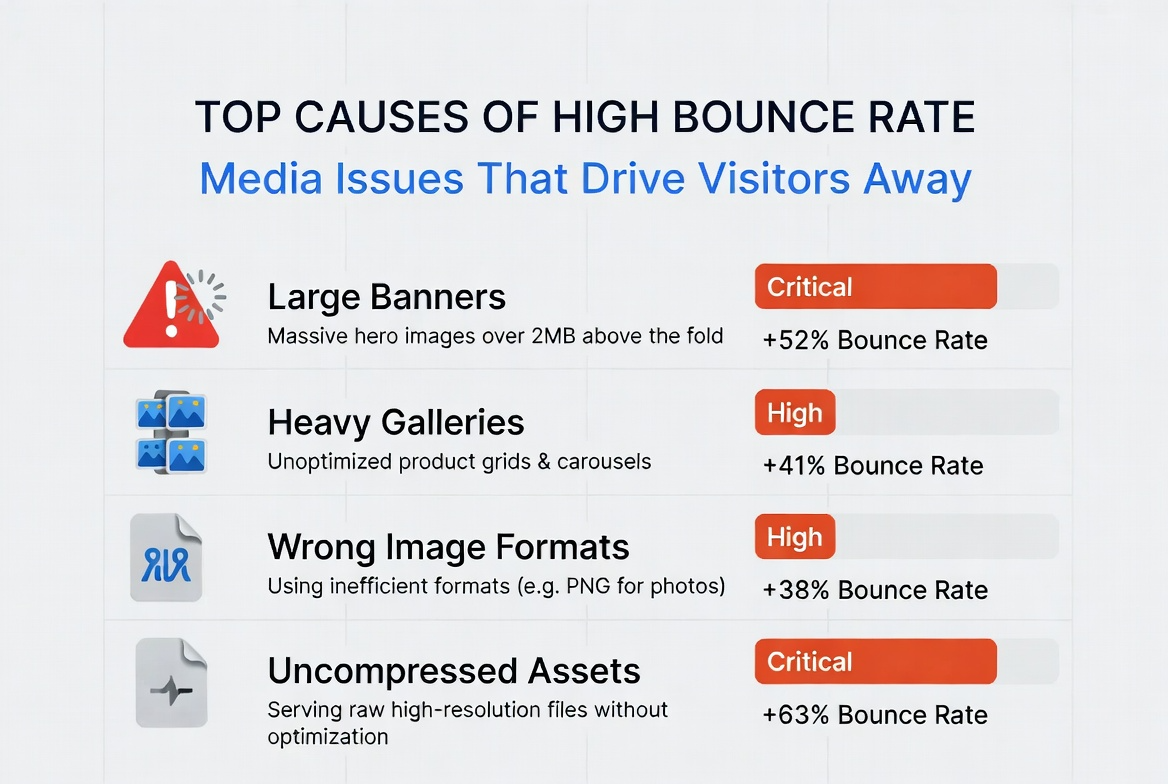
Most bounce-related media issues come from preventable workflow mistakes.
A practical workflow to reduce bounce with faster media
- Audit current page media: Identify heaviest assets on landing, product, and blog pages.
- Resize by role: Export separate sizes for hero, thumbnails, and supporting visuals.
- Choose the right format: Use JPG/WebP for photos; reserve PNG for transparency-specific graphics.
- Compress with quality check: Reduce file size while verifying visual clarity on mobile and desktop.
- Deliver progressively: Lazy-load below-the-fold media and defer non-critical assets.
This process can be implemented incrementally. Start with highest-traffic pages to see measurable bounce and engagement improvements first.
How faster media translates into business outcomes
Faster media is not only a technical win. It improves first impression quality, keeps users on page longer, and increases the probability that visitors reach conversion actions.
- Lower bounce: Users stay longer when pages feel responsive.
- Higher engagement: More scrolling, more clicks, better message consumption.
- Better conversion readiness: Visitors reach CTA sections with less friction.
- Improved efficiency: Paid traffic performs better when landing pages load quickly.
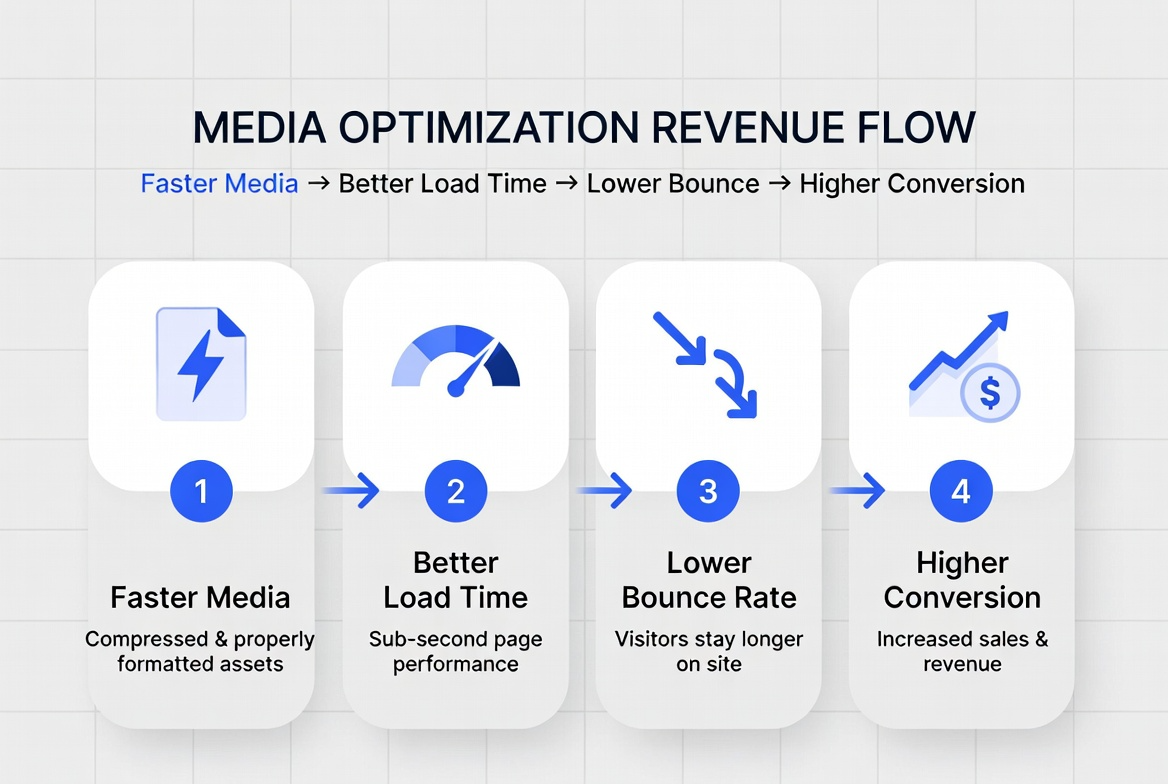
Faster media supports both performance metrics and revenue metrics.
Frequently Asked Questions
A: Start with high-traffic pages first. This gives faster results and clearer before/after measurement.
A: WebP often helps, but the bigger factor is overall delivery strategy: right size, compression, and loading behavior.
A: Yes, if optimized carefully and combined with proper responsive sizing and efficient delivery.
A: Many teams observe early engagement improvements within days after shipping optimized assets on key pages.
Start reducing bounce with a faster media stack
Pick one high-traffic page, optimize its media with this workflow, and compare bounce and engagement before and after release. This creates a repeatable playbook your team can scale across all landing and product pages.